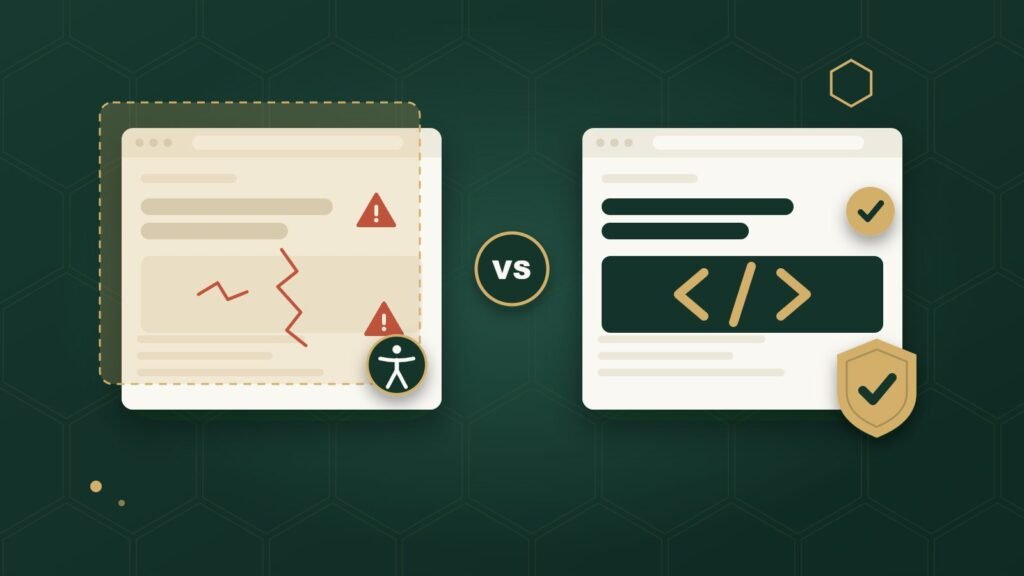
An accessibility overlay is a script you add to your existing website that adjusts how it displays or behaves in the browser, without changing the website’s underlying code. Remediation is the opposite: it means going into the actual HTML, labels, and structure of the site and correcting the problems there permanently. An overlay sits on top of your website. Remediation changes the website itself.
That difference sounds small. It isn’t. It’s the reason accessibility professionals, disability advocacy groups, and even the Federal Trade Commission have taken a hard look at overlay products in recent years. Here’s what each one actually does, where overlays genuinely help, where they fall short, and what a business owner should do instead.
What Is an Accessibility Overlay?
An accessibility overlay, sometimes called an accessibility widget, is a small piece of JavaScript added to a website that runs in the visitor’s browser and adjusts the page after it loads. It usually appears as a small icon, often in a corner of the screen, that opens a panel of display options.
Overlays don’t touch your website’s actual files. Nothing changes on your server. Instead, the script runs live, in the browser, and tries to modify things like text size, color contrast, spacing, or animation on the fly. Some overlays go further and attempt to automatically detect and patch certain code issues, such as adding missing labels or reorganizing headings, using automated rules rather than a person reviewing the page.
A simple way to picture it: imagine a store owner puts up a temporary ramp over broken front steps. It might genuinely make the entrance usable in the moment. But the steps underneath are still broken, and anyone who removes the ramp, or arrives before it’s set up correctly, is back to the original problem. Remediation is rebuilding the steps.
What Can an Accessibility Overlay Actually Do?
Overlays can offer real, user-controlled display options, and some visitors do use and appreciate them. That’s worth saying plainly, because it’s inaccurate to claim these tools do nothing.
Depending on the product, an overlay may let a visitor:
- Increase text size or line spacing
- Adjust color and contrast settings
- Pause animations or moving content
- Turn on a basic text-to-speech reading mode
- Highlight links or change cursor size
Some overlays also attempt automated code-level patches, like adding an ARIA label where one seems to be missing, or restructuring how headings are announced to a screen reader. These are automated guesses made by software scanning the page, not a person confirming the change is correct in context.
That last point is where the real limitation shows up.
What Can’t an Overlay Reliably Fix?
An overlay can’t reliably fix anything that depends on understanding what a piece of content actually means or how a person is trying to use the page. Automated scripts can pattern-match code. They can’t judge intent.
Here are concrete examples of the kind of problem that usually needs a person to actually fix, not a script to paper over:
- A button with no clear purpose. An overlay might detect that a button lacks an accessible name and insert something generic like “button” or a guessed label. It doesn’t know the button actually opens a size chart, so it can’t give it a meaningful name like “Open size chart.”
- Incorrect heading structure. If a page uses headings only for visual styling instead of marking actual sections, an automated script can reorganize what it sees, but it can’t know which text is genuinely a section heading and which just looks like one.
- Keyboard traps. If a custom dropdown or pop-up doesn’t release keyboard focus properly, that’s a flaw in how the component was built. A display-layer script running in the browser generally can’t rewire that interaction correctly.
- Confusing form errors. If a form tells a screen reader user “error” with no explanation of what’s wrong or how to fix it, an overlay can’t invent the missing context. Someone has to write a real, specific error message into the form itself.
- Alt text that doesn’t describe the useful information in an image. Alt text is a short written description read aloud by a screen reader in place of an image. Writing accurate alt text requires knowing why that image is on the page. A photo of a staff member might need “Store manager Maria Lopez” in one context and nothing at all if it’s purely decorative in another. A script can’t make that judgment call.
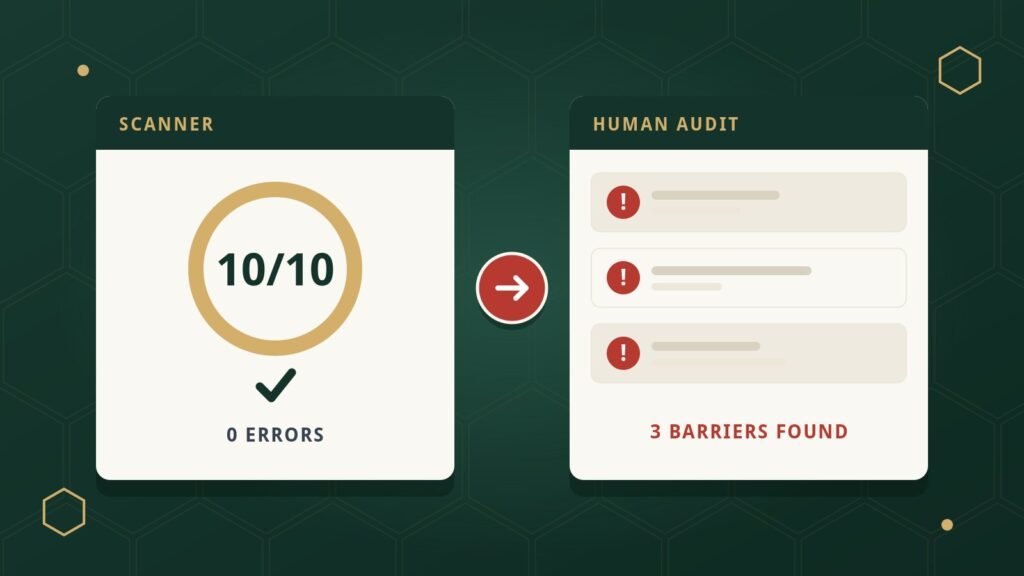
These are exactly the kinds of issues that show up when someone tests a website by actually using it with a keyboard or a screen reader, rather than scanning the code for patterns.
Can an Overlay Interfere with Screen Readers?
Sometimes, yes, and this is one of the most documented concerns from actual screen reader users. It isn’t universal to every product or every website, but it’s well enough reported that it shouldn’t be dismissed.
A screen reader is software that reads a webpage’s content aloud, or sends it to a refreshable braille display, for someone who is blind or has low vision. Screen reader users generally rely on their own screen reader software, configured the way they’ve learned to use it, across every website they visit. When an overlay tries to insert its own accessibility layer on top of a page, it can conflict with the user’s own screen reader, override familiar keyboard shortcuts, or produce an inconsistent experience from one site to the next.
The National Federation of the Blind, the largest organization of blind Americans, passed a resolution describing overlay products as “ineffective, deceptive, and a threat to the rights of blind people,” based on member reports that these tools made websites harder, not easier, to use. A peer-reviewed study on web accessibility overlays similarly found that many blind and low-vision participants reported overlays interfering with their existing assistive technology rather than helping.
This doesn’t mean every overlay behaves identically or that every screen reader user has the same experience. It does mean that a business owner shouldn’t assume an overlay is harmless just because it’s marketed as an accessibility tool.
Does an Accessibility Overlay Make My Website ADA Compliant?
No, an overlay alone does not make a website compliant, and claiming otherwise has already led to real legal consequences for at least one major overlay vendor. In January 2025, the Federal Trade Commission reached a $1 million settlement with accessiBe over claims that its AI-powered overlay could make “any website” compliant with WCAG, the technical accessibility standard most compliance efforts are measured against. The FTC found those claims false, misleading, or unsubstantiated.
That case matters here because it wasn’t a competitor or an advocacy group making the argument. It was the U.S. government’s own consumer protection agency, reviewing the actual evidence behind a specific product’s marketing claims and concluding the claims didn’t hold up.
None of this means a website with an overlay is automatically non-compliant, or that every overlay product makes identical promises. It means a business owner shouldn’t treat “we installed a widget” as equivalent to “we fixed our website,” because the underlying code — the actual source of most accessibility barriers — hasn’t changed.
What Is Accessibility Remediation?
Accessibility remediation is the process of correcting accessibility barriers directly in a website’s own code, rather than adjusting how the page behaves after the fact. If an audit is the process of finding and documenting barriers, remediation is the separate work of actually closing them.
Real remediation typically involves things like:
- Rewriting HTML so headings, lists, and page structure reflect what’s actually on the page
- Adding accessible names to buttons and controls that describe what they do
- Connecting form fields to real labels, and writing form error messages that explain what went wrong
- Fixing keyboard focus so every interactive element can be reached and operated in a sensible order
- Rebuilding custom components, like menus or dialogs, so they behave the way assistive technology expects
- Writing meaningful alternative text for images that convey real information
- Correcting color contrast in the site’s actual design rather than offering a toggle to increase it
None of this happens automatically, and it isn’t guesswork. It’s applied by someone who understands both the code and how people actually use assistive technology, informed by testing that includes real keyboard and screen reader use.
Overlay vs. Remediation: A Side-by-Side Comparison
| Aspect | Overlay / Widget | Code-Level Remediation |
|---|---|---|
| Where the change happens | In the browser, at display time | In the website’s actual source code |
| Underlying code | Left unchanged | Directly corrected |
| Context-dependent issues (button purpose, alt text meaning) | Limited — relies on automated guesses | Addressed by a person who understands the content |
| Human testing involved | Varies by product, often automated only | Should include manual keyboard and screen-reader testing |
| Effect if removed | Adjustments disappear immediately | Fixes remain in the code |
| Ongoing maintenance | Typically a subscription; reprocesses the page each time it loads | One-time fix per issue; new issues need new remediation as the site changes |
| Visitor-facing controls | Often provides display preference options | No visitor-facing toggle by default — the base experience is accessible for everyone |
What Should I Do If My Site Already Has an Overlay?
Nothing drastic, and definitely not panic. Having an overlay installed doesn’t mean your website is in worse shape than you thought, and ripping it out overnight isn’t a fix by itself either.
A reasonable next step is to find out what your website’s actual accessibility barriers are, independent of what the overlay claims to handle. That usually means an audit that includes real keyboard and screen reader testing, not just an automated scan, so you can see which issues exist in the underlying site regardless of what the overlay is doing on top of it. From there, you can make an informed decision about remediation, and about whether to keep, adjust, or remove the overlay, based on what you actually find rather than a marketing claim either way.
What Should You Ask an Accessibility Vendor Before Hiring Them?
A few direct questions tend to separate a thorough accessibility provider from a quick-fix pitch:
- Do you test with a keyboard and with real screen readers, not just an automated scanner?
- What standard do you evaluate the site against, and can you point to the specific criteria?
- Does your process fix the underlying code, or does it add a layer on top of the existing site?
- What does your report actually include for each issue found?
- Do you retest after remediation to confirm the fixes worked?
- How do you handle new barriers that show up after the site changes?
A vendor who can answer these clearly, without vague promises of instant or guaranteed compliance, is a good sign.
What Should a Business Owner Do Instead?
The most reliable path is straightforward, even if it takes more effort than installing a script:
- Find out where you actually stand. An accessibility audit that combines automated scanning with manual keyboard and screen-reader testing will tell you what’s actually wrong, not what a scanner assumes is wrong.
- Fix the real barriers. Remediation means correcting the underlying code so the problems are actually gone, not masked.
- Retest. Confirm the specific issues that were flagged are genuinely resolved.
- Keep watching. Websites change constantly through new pages, plugins, and content, so ongoing monitoring catches new barriers before they pile up.
If you’re still working out how any of this connects to your legal obligations, our guide to ADA website compliance covers that separately, and our accessibility audit guide explains exactly what a thorough audit involves.
Frequently Asked Questions
What is the difference between an accessibility overlay and remediation?
An overlay is a script that adjusts how a website displays or behaves in the browser without changing its underlying code. Remediation is the process of correcting the accessibility problems directly in the website’s own code, so the fix is permanent rather than layered on top.
Do accessibility overlays work?
Overlays can provide genuine, user-controlled display options like larger text or higher contrast. They are much less reliable at fixing problems that require understanding context, such as whether alt text is meaningful or whether a custom control works correctly with a keyboard, and some have been documented to interfere with users’ own screen readers.
Can an accessibility widget make my website ADA compliant?
No. An overlay alone does not make a website compliant. In January 2025, the Federal Trade Commission settled with a major overlay vendor for $1 million over claims that its product could make any website WCAG-compliant, finding those claims unsupported.
Should I remove my accessibility overlay?
Not automatically. A more useful first step is finding out what your website’s actual accessibility barriers are through a real audit, then deciding what to do about the overlay based on those findings rather than assumptions in either direction.
What is accessibility remediation?
Accessibility remediation is the process of fixing accessibility barriers directly in a website’s code, such as correcting heading structure, adding real labels to forms and buttons, fixing keyboard behavior, and writing meaningful alternative text for images.
NexoBee’s approach is real accessibility testing, including manual keyboard and screen-reader testing evaluated against WCAG 2.2 Level AA, followed by code-level remediation rather than an overlay. If you’d like to know what’s actually happening on your website, get in touch.