Your stomach drops. You’re holding a letter from a law firm, and it says your website breaks the law.
You didn’t do anything wrong on purpose. You just wanted a website for your business. Now someone wants money, and a deadline is ticking.
Take a slow breath. You’re not alone, and this problem can be fixed.
The letter has a name: an ADA demand letter (a legal note saying your website is hard to use for people with disabilities). Small business owners get them more often than you’d think.
I check 25 to 30 local business websites every month for a Los Angeles agency, and I’ve built WordPress sites for more than 15 years. When an owner gets an ADA demand letter, I tell them the same thing first: it’s not a court order. It’s the start of a conversation, and you can steer it.
Here’s what you’ll get in this guide:
- What your ADA demand letter really means, in plain words
- What a real lawsuit says (I read one and will show you)
- A day by day plan for your first 7 days
- A checklist you can tick off as you go
Ready? Let’s start with the question everyone asks first.
Not legal advice. NexoBee builds and fixes websites. We are not a law firm. This guide shows you what to expect and what to do for your website. Please talk to an ADA lawyer about your own letter before you answer anyone.
What is an ADA demand letter?
An ADA demand letter is a note from a lawyer that says your website is hard for people with disabilities to use. (ADA stands for the Americans with Disabilities Act, a US law that protects people with disabilities.) The letter lists problems and asks you to fix them. Many also ask for money. A demand letter is not a court case.
Who sends it? Usually a person who uses a screen reader, or the law firm that works for that person. (A screen reader is software that reads a website out loud for people who can’t see the screen.) The letter names your website, lists a few problems, and gives you a date to reply. Some letters name the ADA. Others name state laws, like California’s Unruh Civil Rights Act.
Does this really happen a lot? Yes. UsableNet counted more than 5,000 website lawsuits in 2025. Seyfarth Shaw, a law firm that tracks these cases, counted 3,117 in federal court. That’s up 27% from 2,452 in 2024. New York led with 1,021 cases. Florida came next with 961.
Here’s the part that matters most. UsableNet found that 1,427 of those lawsuits hit companies that had been sued before. A quick patch that breaks again can put you right back in the same spot. So fix the real problems once. Our guide to ADA website compliance explains the bigger picture.
What happens if you ignore an ADA demand letter?
Ignoring an ADA demand letter is the riskiest move you can make. A letter is a request, but a summons (an official court paper that says you’re being sued) is an order. Miss the deadline and you can lose by default, which means the court decides without hearing you. In the California summons I read, the deadline was 30 calendar days.
Silence also hurts in a quiet way. The sender keeps a record that you knew and did nothing. A quick reply that shows real action changes that story.
But don’t panic either. Here’s the good news. You don’t owe the money in the letter, because no judge has ordered anything. You owe money only if a court orders it or you agree to a settlement (a deal to end the case).
Pro Tip: California has a rule that stops lawyers from asking for money in letters about physical buildings, like steps and doors (Civil Code 55.31). The rule was written for buildings, so it may not cover a website letter. Many website letters include a dollar amount anyway. Ask your lawyer which rules apply to yours.
What does an ADA website lawsuit actually say?
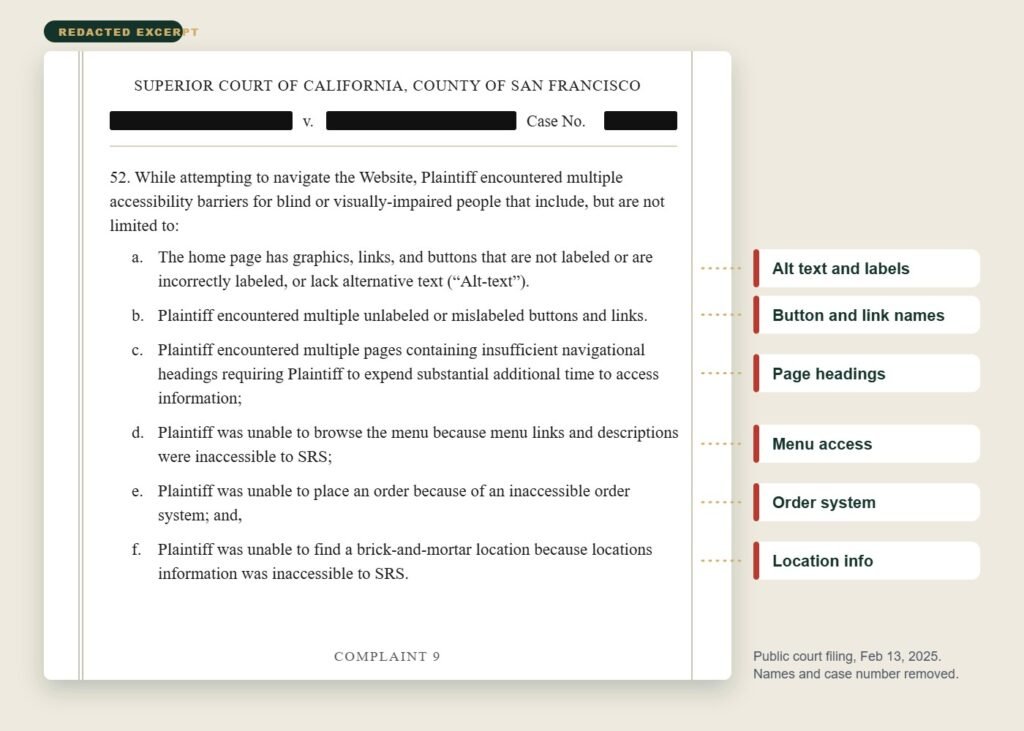
A website lawsuit lists the problems one person says they found, then asks the court for three things: a fix, a minimum payment, and legal fees. I read one filed in San Francisco Superior Court on February 13, 2025. Court papers like this are public, so anyone can read them. I removed the business name to protect it.
The court paper is called a complaint (the document that starts a court case). Here’s what the person suing said:
- Who: A legally blind person who uses a screen reader said he visited the restaurant’s site several times, including on November 5 and December 17, 2024.
- The problems: Pictures with no alt text (a short note that describes a picture so a screen reader can say it out loud). Buttons and links with no labels. Too few headings. A menu a screen reader couldn’t read. An ordering system he couldn’t use. Location details he couldn’t find.
- The laws: The ADA and California’s Unruh Civil Rights Act.
- What he asked for: A court order to fix the site, with the cost capped at $50,000. At least $4,000 for each violation under Civil Code 52(a). And his lawyer’s fees.
The complaint also points to two older California cases, Thurston v. Midvale Corp. (2019) and Martinez v. San Diego County Credit Union (2020). The person suing says they tie a website to a real business. The first one also covers third party tools (apps from other companies that run on your site, like booking or ordering).
Now read that list again. Every problem on it is a basic fix. Nobody asked for a brand new website.
Pro Tip: A complaint is a list of claims, not proof. Your lawyer decides how to answer each one.
Day 1 to 2: What should you do first?
On day one, read the whole letter, call an ADA lawyer, and save everything. Don’t answer the sender yet. Write down the deadline and the pages the letter names. If you have business insurance, call your agent and ask if your policy covers this.
- Mark up the letter. Write down who sent it, the date, the deadline, the pages named, the laws named, and any dollar amount.
- Call a lawyer who handles ADA website cases. Ask if they’ve dealt with this sender before. Ask what they charge.
- Save your proof. Keep the letter, the envelope, and any emails. Take screenshots of every page the letter names before you change anything.
- Keep it quiet. Tell your web developer, your lawyer, and your insurer. Don’t post about it. Don’t argue with the sender.
Day 3 to 4: How do you find out what is really broken?
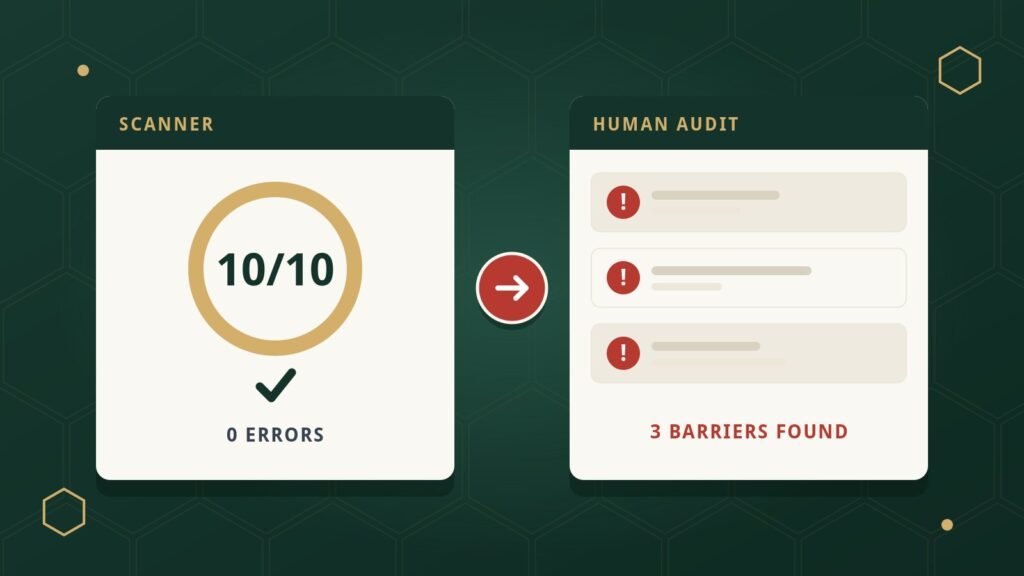
Order an accessibility audit. A good audit tests your site against WCAG 2.2 Level AA and uses the same tools real visitors use, like a keyboard and a screen reader. A free scan alone isn’t enough, because scanners only catch some problems.
WCAG is short for Web Content Accessibility Guidelines. Think of it as the rulebook for accessible websites. Level AA is the middle level, and the one most courts and experts use. Want the full story? Read our guide on ADA vs WCAG.
Make sure your audit covers the pages named in the letter. Add your home page, your contact page, and every place people book, order, or pay. Then list every third party tool on your site, like booking widgets, chat boxes, and online menus. People who test sites check those too, and you’re still the one who answers for them.
A good report gives you the same five things for every problem: the page, the rule, how serious it is, a plain English description, and the fix. Not sure what to expect? See what a full review includes in our website accessibility audit guide, or look at our accessibility audit service.
Day 5 to 6: How do you build a fix plan?
Sort your problems by risk, then fix the ones named in the letter first. Give every fix a date and one owner. Start with anything that stops a customer from finishing a task, like a form a keyboard can’t submit. Handle colors, headings, and picture notes next.
| Priority | Example | Why it comes first |
|---|---|---|
| 1. Blockers | Can’t book, order, pay, or send the contact form | Customers can’t finish what they came to do |
| 2. Named in the letter | Buttons with no labels on the menu page | The sender will check these first |
| 3. Sitewide patterns | Missing alt text, weak headings, hard to read colors | One fix in your template helps every page |
| 4. Documents | A PDF menu or price list a screen reader can’t read | People often forget files |
Then fix the real code. That’s called remediation. Add labels, clean up the page structure, and make sure everything works with a keyboard. A toolbar stuck on top of broken code doesn’t do that.
Pro Tip: Start a change log with your very first fix. Write the date, the page, what you changed, who did it, and what the retest showed. That log becomes your proof that you acted in good faith.
Day 7: What should your response include?
Your lawyer should send the response, not you. A strong response says you got the letter, you take accessibility seriously, and you have a dated plan to fix things. It doesn’t admit fault, and it doesn’t argue every detail. Your lawyer decides what goes in and when.
Give your lawyer four things: the audit report, the fix plan, the change log, and your before screenshots. Also post an accessibility statement on your site. It’s a short page that says you care about access and gives an email and phone number for people to report problems. A statement won’t protect you on its own. But it shows visitors that you listen.
If the other side wants to settle, your lawyer will explain your choices. Settlements often ask for fixes by a set date. A clean audit and a dated plan put you in a stronger spot to talk.
What mistakes make an ADA demand letter worse?
Six mistakes do the most harm: ignoring the letter, answering it yourself, deleting proof, buying a quick fix tool, fixing only the pages in the letter, and paying before you talk to a lawyer. Each one weakens your case. Avoid them and your plan stays strong.
- Ignoring it. A missed summons date can end in a loss by default.
- Answering it yourself. An angry or friendly email can sound like you admit fault. Let your lawyer write.
- Changing pages before you save them. Take screenshots first, then fix.
- Buying an overlay and calling it done. (An overlay is a tool that adds a button menu on top of your site but doesn’t change your site’s code.) In April 2025, the FTC approved a final order that makes accessiBe pay $1 million. It also bars the company from saying its automated products can make any website meet WCAG without proof. No tool can promise to stop a claim. See our comparison of overlays and real remediation.
- Fixing only the pages in the letter. People who test sites check many pages, and repeat claims are common. Fix the patterns across your whole site.
- Paying first. For some owners, settling is the smart move. Make that call with your lawyer, not under pressure.
Your 7 day ADA demand letter checklist
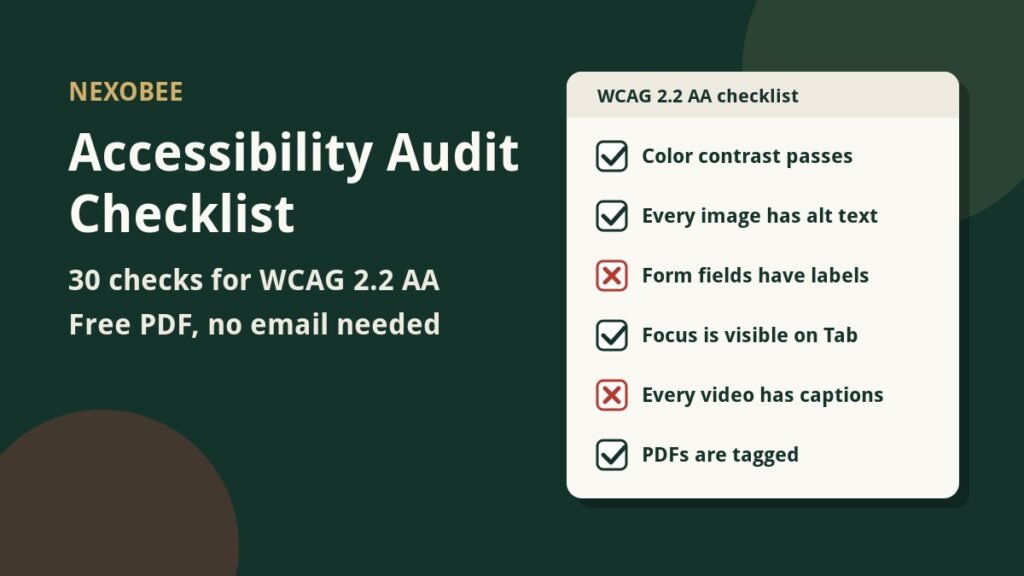
Here’s your checklist. Tick each box as you go. Share it with your web developer and your lawyer so everyone follows the same plan.
Download the ADA demand letter checklist (PDF, 1 page, 63 KB)
Need a hand with days 3 to 6? NexoBee runs audits and code fixes for owners who got a letter. Contact us now and ask for a priority audit. Tell us which pages the letter names.
Frequently asked questions
Is an ADA demand letter the same as a lawsuit?
No, an ADA demand letter is not a lawsuit. It’s a private note that asks you to fix your website, and sometimes to pay. A lawsuit starts when someone files a complaint in court and you get a summons. In the California summons I read, you had 30 calendar days to reply.
Do I have to pay the amount in an ADA demand letter?
No, you don’t have to pay just because a letter asks. You owe money only if a court orders it or you sign a settlement. Some owners do choose to settle. Talk to your lawyer before you pay, sign, or reply.
Can a small business get sued over its website?
Yes, small businesses get sued over their websites. UsableNet said restaurants and food service made up about 21% of web cases in 2025, and the lawsuit I read was against one local restaurant. If your site serves customers, you can get a claim.
How long do I have to respond to an ADA demand letter?
A demand letter sets its own reply date, and that date isn’t a court deadline. Still, answer on time. Call your lawyer on day one, and ask for more time if you need it. A court summons is different, because its deadline is firm. In the California one I read, it was 30 calendar days.
Will an accessibility overlay stop an ADA lawsuit?
No, no overlay can promise to stop a claim. An overlay is a tool that adds a button menu on top of your site and leaves your code as it is. In April 2025, the FTC approved a final order that makes accessiBe pay $1 million over deceptive claims about what its automated tool could do.
Sources: UsableNet, ADA web lawsuit trends for 2026. Seyfarth Shaw, federal website accessibility filings in 2025. FTC, final order against accessiBe. California Civil Code 55.31. Complaint details come from a public San Francisco Superior Court filing dated February 13, 2025.